

1. Create a Box
Create a box with the Node.js runtime and default settings. See the quickstart if you haven’t created one before.2. Connect via SSH
Connect to the box from your terminal, using your Box API key as the password when prompted:box-id is the name of your box (e.g. right-flamingo-14486). The next three steps run in this terminal.
3. Install T3 Code
4. Sign In Your Agent
The agent runs inside the box, so sign in here:5. Start T3 Code
Start the server on all interfaces so the public URL can reach it, with its data under/workspace, the box’s persistent storage. Then print the pairing link it writes on startup:
Done right away. That is the launcher handing the server off to its own session; the server keeps running.
The pairing link works once and expires after 5 minutes, so create the public URL next and pair right after. To pair another browser later, or if it expired, mint a new one from the SSH terminal:
6. Create a Public URL
Open the box in the console and create a public URL for port3773.
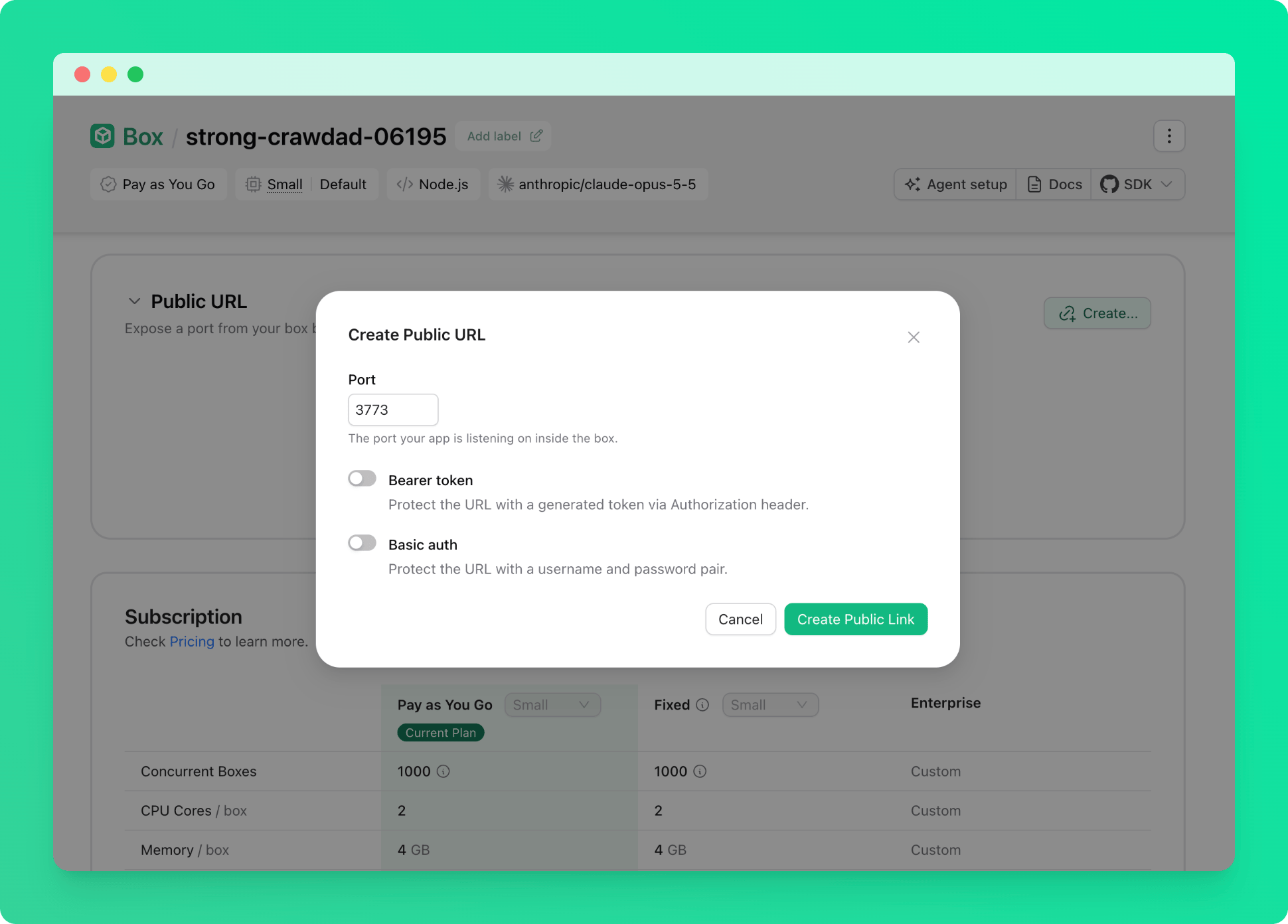
7. Pair Your Browser
Take the pairing link from step 5, replace the address with your public URL from step 6, keep the token, and open it in your browser:8. Start Coding
Add a project and start a thread. Projects you create by name are stored under the server’s data directory on persistent storage, so they survive restarts and are captured by snapshots.
9. Set Init Command for Auto-Restart
When the box has been idle it pauses, and opening the URL wakes it. To bring T3 Code back automatically on every start, open the box in the Upstash Console, go to Settings, then Init Command, and save the start command from step 5: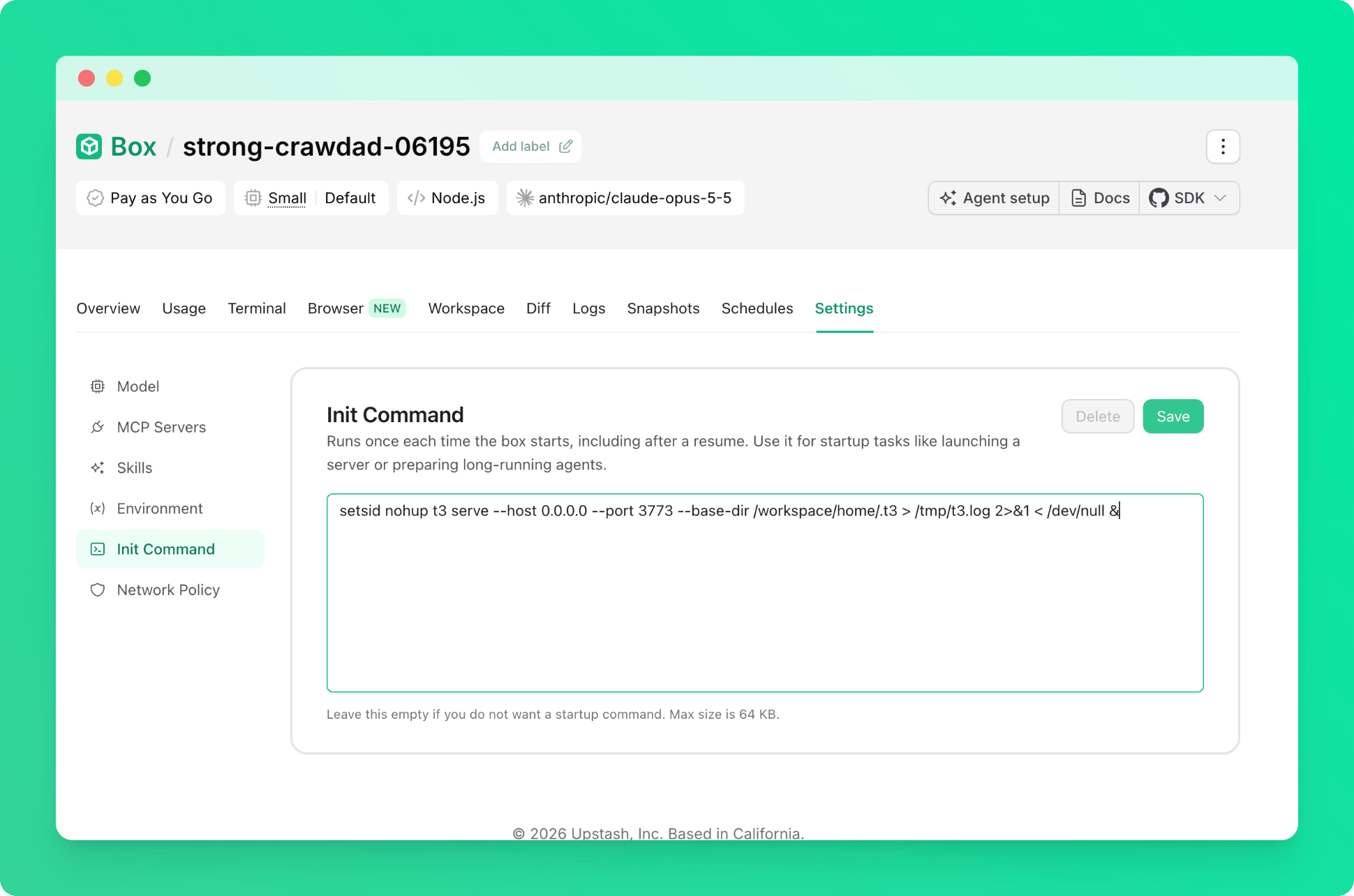
Good to Know
- Everything T3 Code keeps, including projects, threads and your browser pairing, lives under
/workspace/home/.t3on persistent storage. If you point a project at an existing folder, keep that under/workspacetoo. - After a reset, install T3 Code again (step 3). A snapshot restore brings your projects and pairing back as they were.
- If a thread says “Claude could not authenticate”, the sign-in from step 4 is missing. Sign in and start a new thread.